Sprinter Cup Holder Trays: Fit, Layout & Options
Choose a Sprinter cup-holder tray by dashboard fit, driver or passenger orientation and design. Compare a catch-all tray with a dedicated phone mount.
By Rimrock Labs
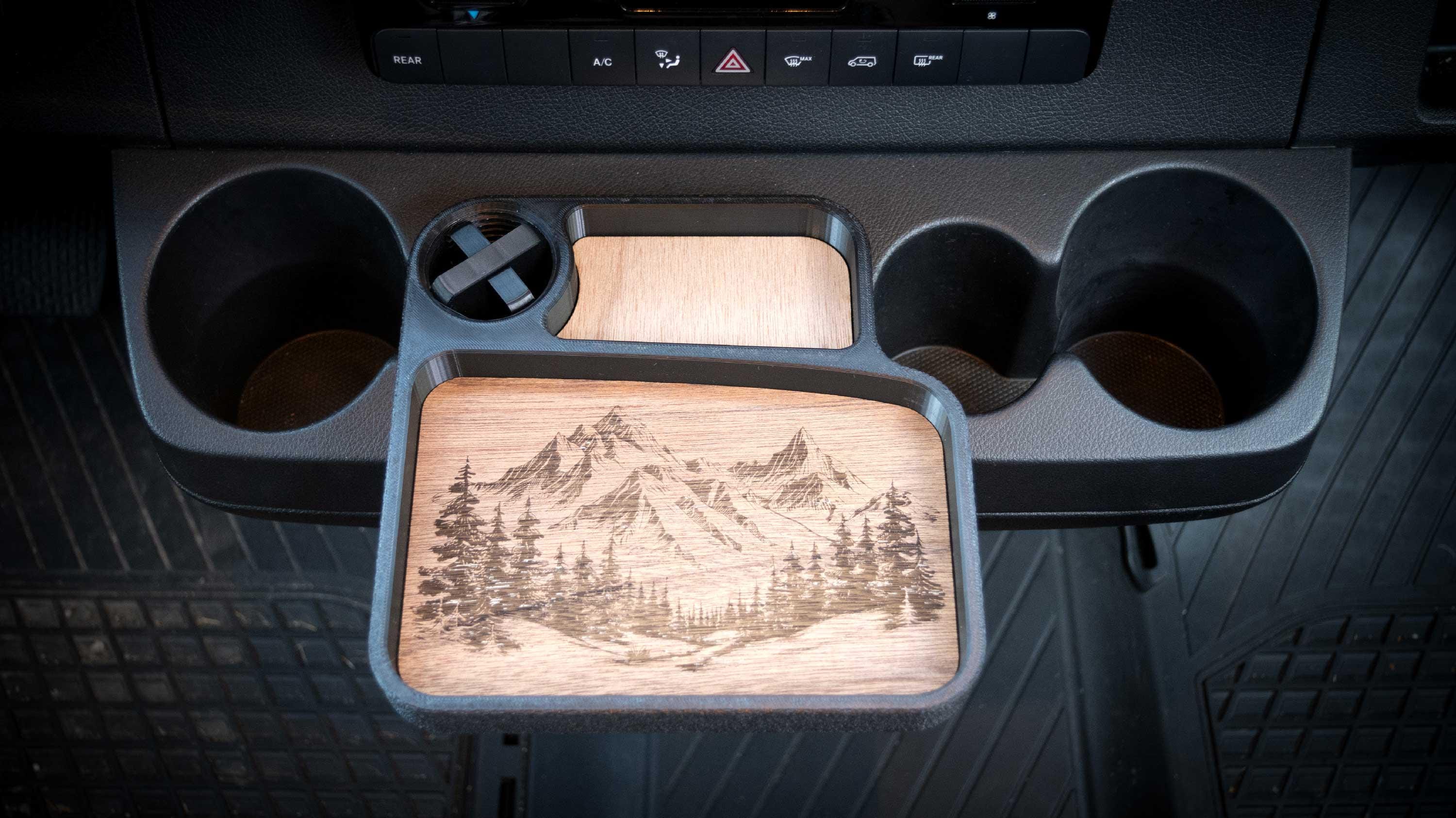
Choose a cup-holder tray for small-item storage, and a dedicated phone mount when you need a mounted phone position. Rimrock Labs’ tray uses the factory cup-holder area on listed 2019+ VS30 Sprinters. It is a catch-all platform, not a dining table or a charging device.
Searches for Sprinter snack trays, phone tables and cup-holder accessories can lead to very different products. Identify the job you want the accessory to do before comparing designs.
Match the dashboard first
The Sprinter cup-holder organizer tray is listed for the 2019+ VS30 dashboard. Compare the cup-holder assembly with the dedicated cup-holder-style image in the listing.
The year is a starting point, not permission to skip the shape check. A replacement console, aftermarket insert or altered mounting area can change the fit.
For a gift, get a clear dashboard photo rather than asking only whether the recipient owns a Sprinter. Older vans and other Mercedes vehicles should not be assumed to share the same cup-holder arrangement.
Decide what should live in the tray
List the small items that currently get scattered: keys, a phone, earbuds or similar everyday carry. Check that the platform and small-item slot suit those objects.
Also decide which cup-holder space you are willing to use for storage. A tray solves clutter by using an existing location; that location may already be useful for a drink or another accessory. Make the tradeoff deliberately.
The listing does not establish a laptop-table rating, a child-seat tray application or a crash-restraint function. Store and secure items appropriately, and arrange the cockpit before driving rather than using the tray as a reason to handle loose objects on the road.
Choose the orientation and design
| Picker field | Available choices | What to settle before checkout |
|---|---|---|
| Orientation | Driver or Passenger | Which side and layout match your intended installation |
| Design | Wood grain, Mountains, Bigfoot or Custom | Whether a stock graphic meets your preference |
Compare the photos for the chosen configuration. Do not assume “driver” means whichever side looks convenient in a cropped image; ask the shop if your dashboard or driving position differs from the examples.
For Custom, discuss the artwork and ordering details first. The wood-inlay design area is different from a printed vehicle emblem, so artwork approved for another product may need a different layout.
Tray, phone mount or cable pass-through?
The tray can provide a place to put a phone, but it does not supply MagSafe charging hardware. If you need a dedicated holder, use the Sprinter phone-mount comparison to choose between the fixed, adjustable and ball-adapter options.
If the issue is cables leaving the dash storage compartment, the dash cable pass-through is a different accessory. It uses the listed compartment-latch arrangement rather than the cup-holder tray’s mounting location.
You do not need all three products. Choose the accessory that addresses the actual storage or mounting problem, and check that any combination leaves controls and access unobstructed.
Before ordering
Confirm the dashboard shape, choose the orientation, check the selected design and review the current price. If a phone’s dimensions or a custom graphic determine the purchase, send those details with a dashboard photo to the shop.
For organizing larger parts of the cabin, start with the Sprinter storage overview. This tray is a small cockpit organizer, not a substitute for properly secured storage throughout the van.
Related reading
— You might like


